Running a busy auto repair shop means juggling phone calls, appointment scheduling, customer questions, estimates, reminders, and follow-ups all while actually fixing cars. That’s exactly where automation shines.
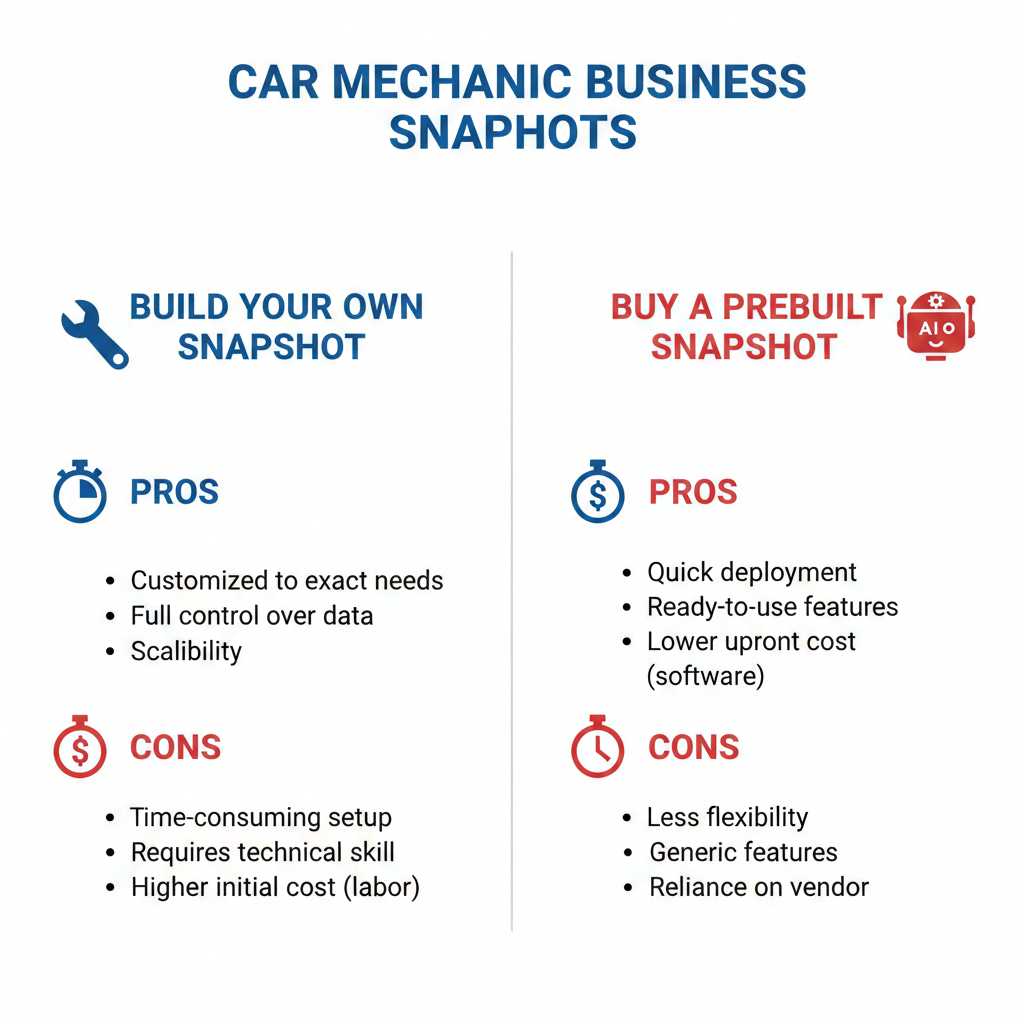
With GoHighLevel, you can deploy a ready-made Car Mechanic Snapshot that installs funnels, pipelines, messaging templates, and most importantly AI workflows that run your front desk 24/7.
Instead of chasing leads or manually reminding customers about oil changes, your system handles it automatically, freeing you to focus on service quality and revenue.
Key Takeaways
- AI workflows capture and respond to leads instantly
- Automated booking reduces missed calls and lost jobs
- Smart reminders dramatically lower no-shows
- Follow-ups turn one-time customers into loyal clients
- Review automation boosts local SEO and reputation
Why automation matters for modern auto repair shops
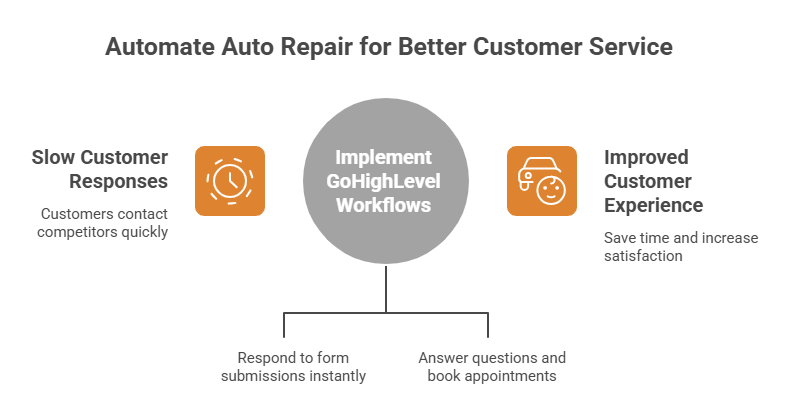
Today’s customers expect immediate responses. If someone’s car breaks down, they won’t wait hours for a reply they’ll contact the next shop.
GoHighLevel workflows solve this by triggering actions automatically when something happens, like a form submission or a new message. A workflow starts with a trigger and then executes a series of actions without manual effort.
Pair this with AI tools that can answer questions and book appointments, and you essentially have a virtual service advisor working nonstop. HighLevel’s AI solutions are designed to automate processes and improve customer experiences while saving time.
1:Instant Lead Response and Appointment Booking
When someone requests service, speed is everything. This workflow ensures no inquiry goes unanswered.
What it does
Responds instantly via SMS, web chat, or social media
- Qualifies the customer’s issue
- Offers available appointment slots
- Books directly into your calendar
GoHighLevel’s Conversation AI can even operate on autopilot, responding automatically on behalf of your business across channels like SMS, web chat, Facebook, and Instagram.
Example scenario
A driver searches “brake repair near me” and submits your website form at 10:30 PM.
Instead of waiting until morning:
- AI replies immediately
- Asks for vehicle details
- Suggests appointment times
- Confirms booking
- Sends directions and contact info
You wake up to a fully scheduled job.
How to build it step-by-step
Create a trigger
- Form submission
- Facebook lead ad
- Website chat inquiry
Add automated response
- Friendly greeting
- Ask service type and urgency
Insert booking link
- Connect your calendar
- Allow real-time scheduling
Add confirmation messages
- SMS confirmation
- Email details
- Optional intake form
This workflow alone can dramatically increase conversions because customers get immediate reassurance.
2:Smart Appointment Reminders and No-Show Reduction
Missed appointments cost repair shops thousands annually. Customers forget, schedules change, or they simply lose track.
Automation fixes this.
What it does
- Sends reminder messages before the appointment
- Provides easy rescheduling options
- Sends day-of notifications
- Alerts staff if customer confirms or cancels
Why it works
Most no-shows happen due to forgetfulness, not intent. Multiple reminders across channels keep your shop top of mind.
Recommended reminder sequence
Immediately after booking confirmation
- 24 hours before — reminder
- 3 hours before — final notice
- After missed appointment — rebooking message
You can even include preparation instructions, such as arriving early or bringing specific documents.
Step-by-step setup
Trigger
- Appointment booked
Action sequence
- Send confirmation SMS
- Send confirmation email
Add wait steps
- Wait 24 hours before the appointment.
- Send a reminder.
Conditional logic
- If customer replies CANCEL → send reschedule link
- If no response → continue sequence
Day-of message
- Friendly reminder
- Shop address
- Phone number
Because workflows run automatically once triggered, they handle these repetitive tasks without staff involvement.
3:Post-Service Follow-Up and Review Generation
The real profit in auto repair comes from repeat business and referrals.
A strong follow-up workflow turns a single repair into a long-term customer relationship.
Car Mechanic Snapshot retention workflow
This is where a Car Mechanic Snapshot truly shines — it includes prebuilt templates for nurturing customers after service.
What it does
- Sends thank-you messages
- Requests reviews
- Checks satisfaction
- Promotes future services
- Schedules maintenance reminders
Example timeline
Immediately after service:
- Thank-you message
- Invoice summary
- Contact info for questions
1–2 days later:
Satisfaction check
- Ask if vehicle is running well
3–5 days later:
- Request Google review
3–6 months later:
- Maintenance reminder (oil change, inspection, etc.)
Why reviews matter
Local search rankings depend heavily on review quantity and quality. Automating requests ensures you consistently collect feedback from happy customers.
How to build it
Trigger
- Invoice paid
- Opportunity marked “won”
- Appointment completed
Immediate follow-up
- Thank-you SMS
- Receipt or service summary
Delay step
- Wait 2 days
Satisfaction message
- Ask if everything is working properly
Review request
- Provide direct link
- Keep message short
Long-term reminder
- Schedule maintenance notification
You can also create custom records or tracking objects for each vehicle or service history if needed, allowing highly personalized future reminders.
How these workflows work together
Individually, each automation saves time. Together, they create a fully automated customer journey:
Lead → Booking → Service → Follow-up → Repeat business
This transforms your shop from reactive to proactive.
Your team spends less time on phones and more time on repairs, while customers experience faster, more professional service.
Bonus tips for maximizing results
Train your AI with real shop data
Provide:
Service list
- Pricing ranges
- Hours of operation
- Policies
- Common FAQs
Better training produces more accurate responses.
Personalize messages
Use merge fields like:
- Customer name
- Vehicle type
- Service performed
- Appointment time
Personalization dramatically increases engagement.
Keep messages conversational
Avoid robotic language. Friendly, human-like communication builds trust.
Frequently Asked Questions
Do I need technical skills to set this up?
Can AI really handle customer questions accurately?
Will automation feel impersonal to customers?
Can I still step in manually?
How quickly will I see results?
Conclusion
Automation is no longer a luxury for auto repair shops — it’s a competitive advantage.
With just three well-designed AI workflows inside a car mechanic snapshot, you can:
- Capture more leads
- Reduce missed appointments
- Deliver outstanding customer experiences
- Generate consistent reviews
- Increase repeat business
Instead of hiring more staff to handle front-desk tasks, you’re leveraging intelligent systems that work nonstop without burnout.
For busy mechanics who want to grow without chaos, this approach isn’t just helpful — it’s transformative.